Find Your Picture Keeper MAX
This week only, get 45% OFF the NEW Picture Keeper MAX.
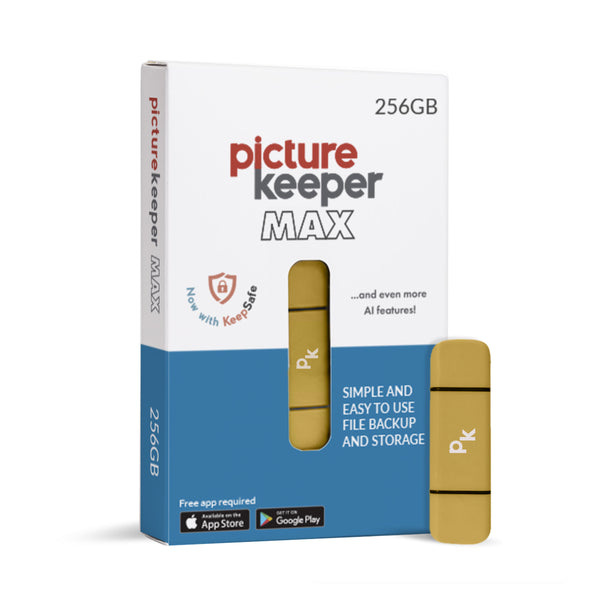


Picture Keeper MAX 256GB Sale
Meet the new Picture Keeper MAX, our most powerful, easy-to-use backup solution yet. Safely store your photos, videos, contacts and important files in one place with simple, automatic backup.
Why You’ll Love It
- One-click backup - just plug in and tap Start Backup
- 256GB of storage for tens of thousands* of files
- Automatically finds & saves photos, videos, contacts, docs and more
- Continues where it left off - no starting over
- Built-in antivirus protection for files from your Computer
- Free unlimited AI photo editing to enhance your memories
- Now with KeepSafe - option to add additional layers of protection
- Works with phones, tablets, and computers
Simple, powerful and made to keep your memories safe.
Backup Your Photos in 3 Easy Steps!

Step 1
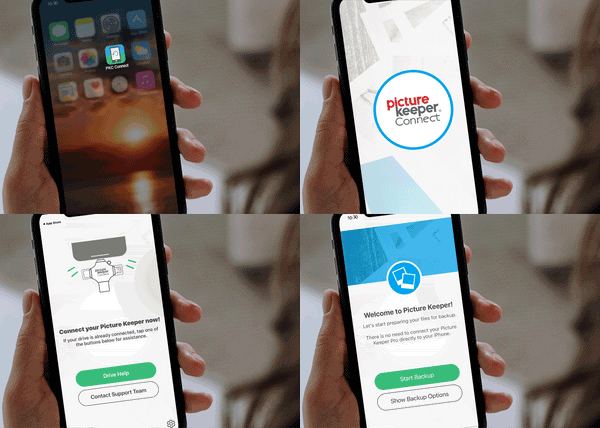
For Mobile & Tablet Users: Download the Picture Keeper app from the App Store or Google Play store. Then connect your Picture Keeper to your device.
For Computer Users: Simply connect your Picture Keeper to a USB port—no additional downloads required!
Step 2
For Mobile & Tablet Users: Launch the Picture Keeper app you just downloaded.
For Computer Users: Open the drive that appears on your computer and double-click the Picture Keeper application to get started.

Step 3
No matter which device you’re using, just click Start Backup and let Picture Keeper do the rest! The process is quick, effortless, and securely saves your photos without any hassle. In just moments, your cherished memories are safely backed up and ready whenever you need them.