Picture Keeper and Picture Keeper PRO: Getting Started
Your Picture Keeper will provide you with an easy, no-fuss way to backup and organize your photos, videos, files and more. On this page, you’ll find simple, step-by-step instructions to get started, a link to our free app, and a link to our Help page.
Note: If you're looking to get started with Picture Keeper Connect tap the buttom below.
Using A Picture Keeper Is As Easy As 1, 2, 3!
Backing up your photos with Picture Keeper is a breeze! With just 3 simple steps, you can securely preserve your cherished memories without any hassle.

Step 1: Download and Open the App
Tap the button below to download our FREE app. Then open the app.

Step 2: Plug It In
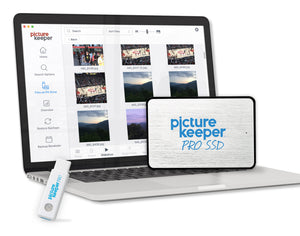
For Picture Keeper PRO SSD: Simply connect your Picture Keeper to a USB or USB-C port.
For Picture Keeper PRO 32GB or 64GB: Simply connect your Picture Keeper to a USB port.
For Picture Keeper 4GB, 8GB, 16GB, 32GB: Simply connect your Picture Keeper to a USB port.

Step 2: Just Click Start Backup!
Click Start Backup and let Picture Keeper do the rest! The process is quick, effortless, and securely saves your photos without any hassle.
Need More Help?
Check out our Help Center for more resources and links to our U.S. based Customer Support.